Chat
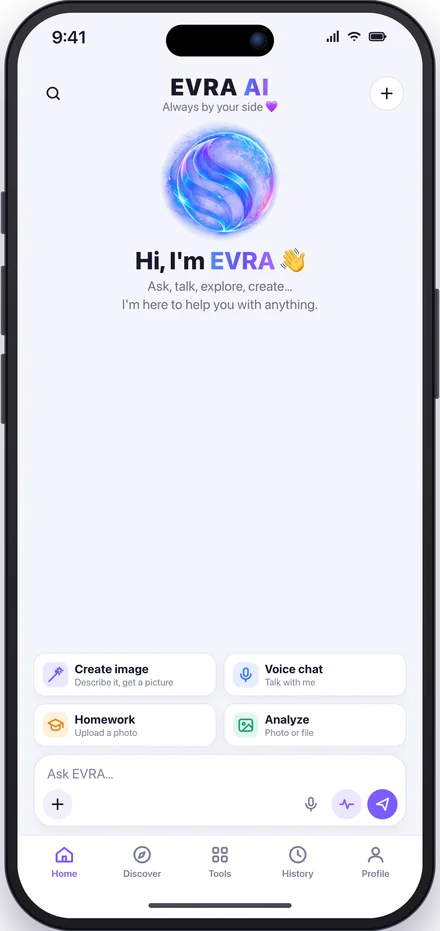
Ask, learn, debate. It answers in your language and your tone without losing the thread.
The AI assistant that thinks in Turkish, talks with you out loud, understands what it sees and reads, draws what you imagine and remembers you. In your pocket, always with you.

Free to download. Sign in with Google, Apple or e-mail in seconds.
From daily life to work, from class to career. EVRA thinks, listens, reads and draws for you in a single app.
Ask, learn, debate. It answers in your language and your tone without losing the thread.

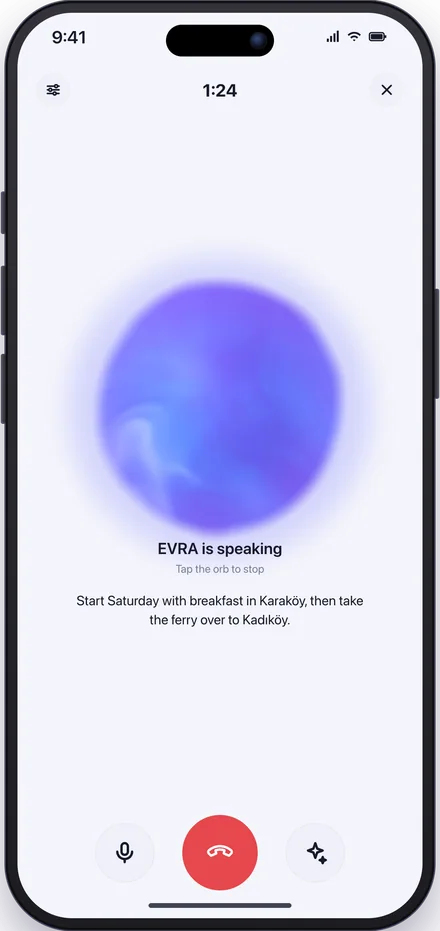
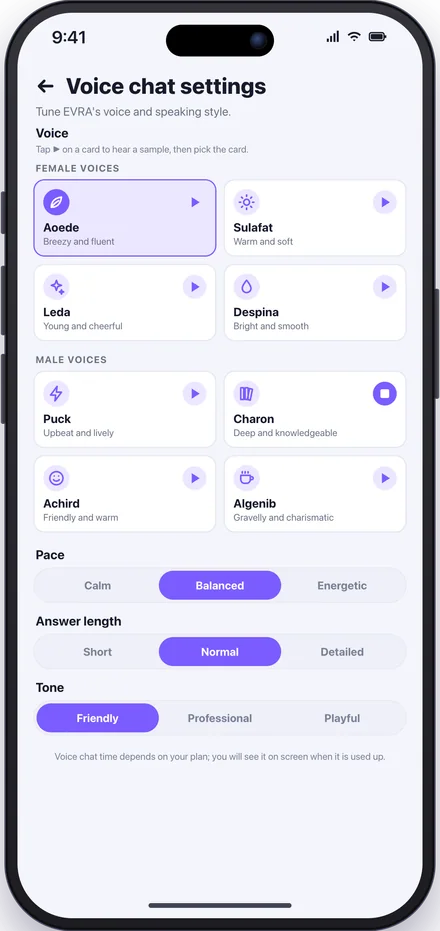
Tap the microphone and talk. EVRA listens, understands and answers in its own voice. You pick the voice, the pace and the tone.
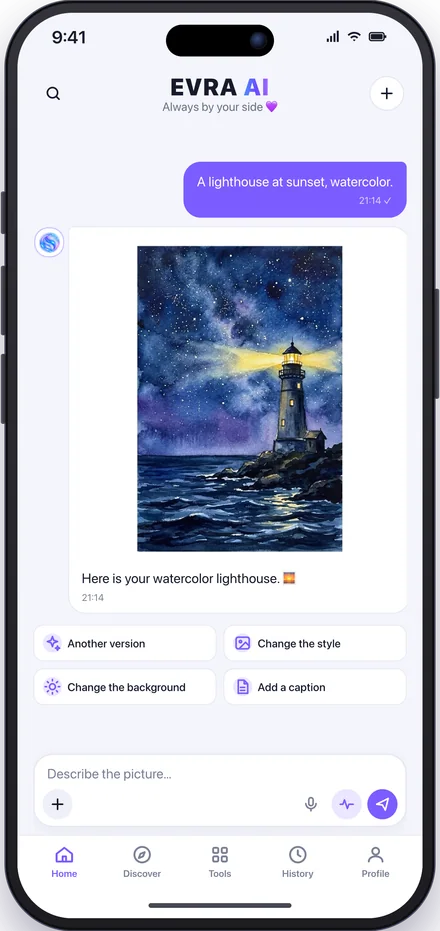
Describe what you imagine and get a picture in seconds. Upload a photo, say "change the background"; it edits in the same chat.
Photos, PDFs, Word, Excel. Upload; it describes what it sees, summarizes, answers your questions, extracts the table.
When you need current information it searches the web and presents it neatly, with sources.
Snap a photo of the question. Not just the answer: the way there, step by step.
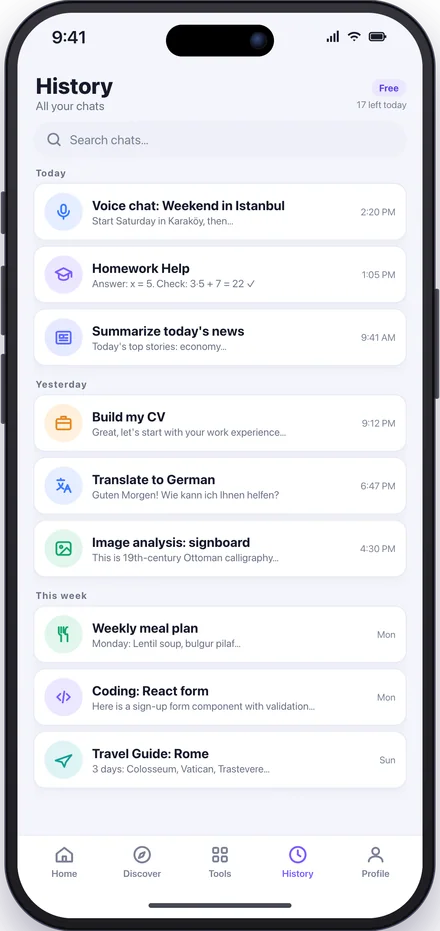
It keeps your preferences and key facts in memory, so you never start from scratch. Every chat is in History and searchable; pick up where you left off.
A clean interface, one-tap voice chat, photo and file uploads, every tool in one place. Dark and light themes, Turkish and English.
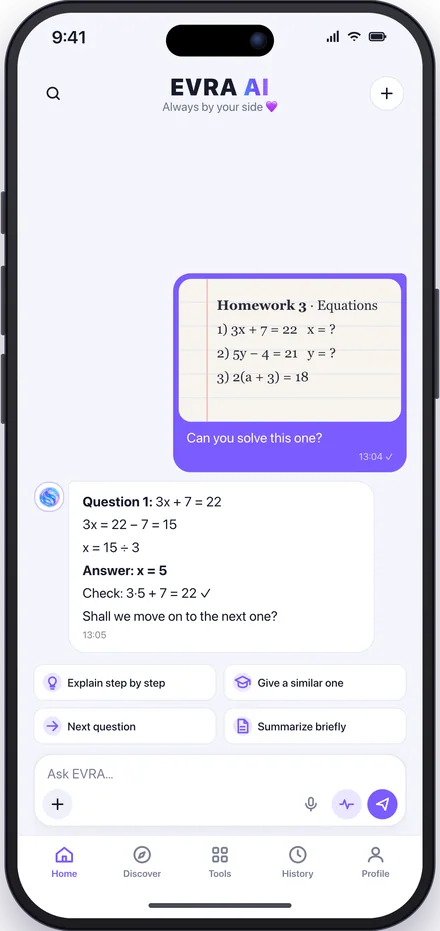
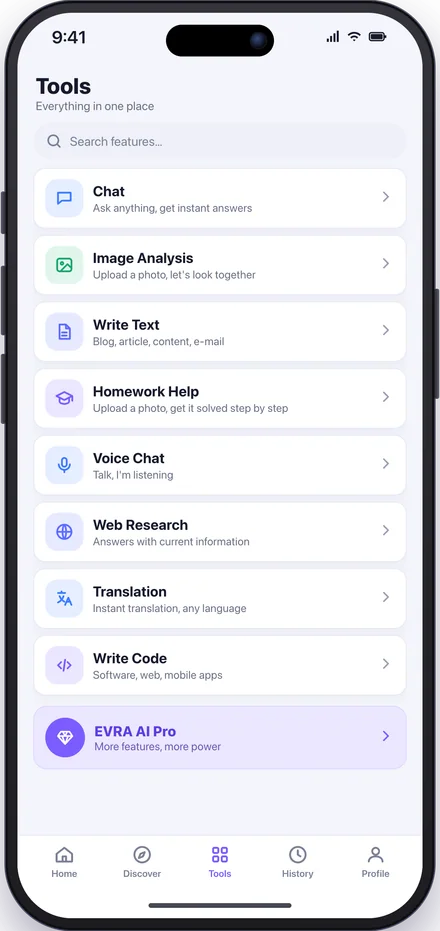
Everything in one tap
Say it instead of typing. EVRA notices when you finish your sentence, thinks and answers in its own voice. It speaks Turkish naturally and fluently.
Warm, upbeat, deep or cheerful. You also set the pace, the tone and how long the answers are.
It checks the web when needed, so talking about the weather, the news or exchange rates stays up to date.
When the call ends, the conversation is saved as a chat; come back to it any time.
A logo, a poster, an illustration or a new take on your photo. Say it and EVRA draws it; if you don't like it, change it in the same chat.
Each mode is a chat that opens with its own expertise and opening question. One tap from the Tools tab or the suggestions on the home screen.
Get it free from the App Store or Google Play.
Sign in with Google, Apple or e-mail in seconds.
Type or tap the microphone. EVRA takes it from there.
Before you trust an AI assistant you should know where your data lives and how it is handled.
All traffic between the app and the servers is encrypted with TLS.
Your chats and memory live only in your account; never used for ads, never sold.
On first use it shows exactly what is sent to the AI; withdraw your consent any time.
Delete your account and all your data permanently, from the app or the web.
Built and operated by a company based in Türkiye, in line with the Turkish data protection law (KVKK) and the GDPR.
Yes. Download EVRA for free and start right away. For more messages, longer voice chats and more pictures there is a Pro plan inside the app.
iPhone (iOS) and Android phones. It is live on the App Store and Google Play; use the badges on this page.
Tap the microphone and talk. When you go quiet, EVRA takes your sentence, speaks its answer in its own voice and shows the text on screen. Pick the voice, pace and tone in the settings.
Through "Create image" on the home screen, or by saying "draw me a …" in any chat. Describe what you want; if you don't like it, ask for another version, style or background in the same chat. You can also upload your own photo and have it edited.
Photos and images (JPEG, PNG), PDF, Word, Excel and text files. Upload one; it summarizes, answers your questions, extracts the table.
EVRA is Turkish-first, but it chats and translates in English and other languages too. The interface is available in Turkish and English.
EVRA is on the App Store and Google Play. Download it free and start now.